
The Best Tool for Cleaning Your iPhone’s Lighting Port When It Won’t Charge
I like to keep my iPhones for as long as possible – like five years or more. But, every couple of years, charging gets flakey due to lint building up inside the iPhone’s Lightning connector.
If you go online, you’ll find lots of recommendations to clean it out using a toothpick. But, there are a couple of problems with toothpicks. First, they are a little too wide, so you can’t move them around inside the cavity very much (if at all). And second, they are pretty stiff, so you could easily damage the connector if you’re not careful.
What to Use Instead of Toothpicks
I believe I’ve found the best tool for cleaning your iPhone’s Lightning connector, The Doctor’s BrushPicks:
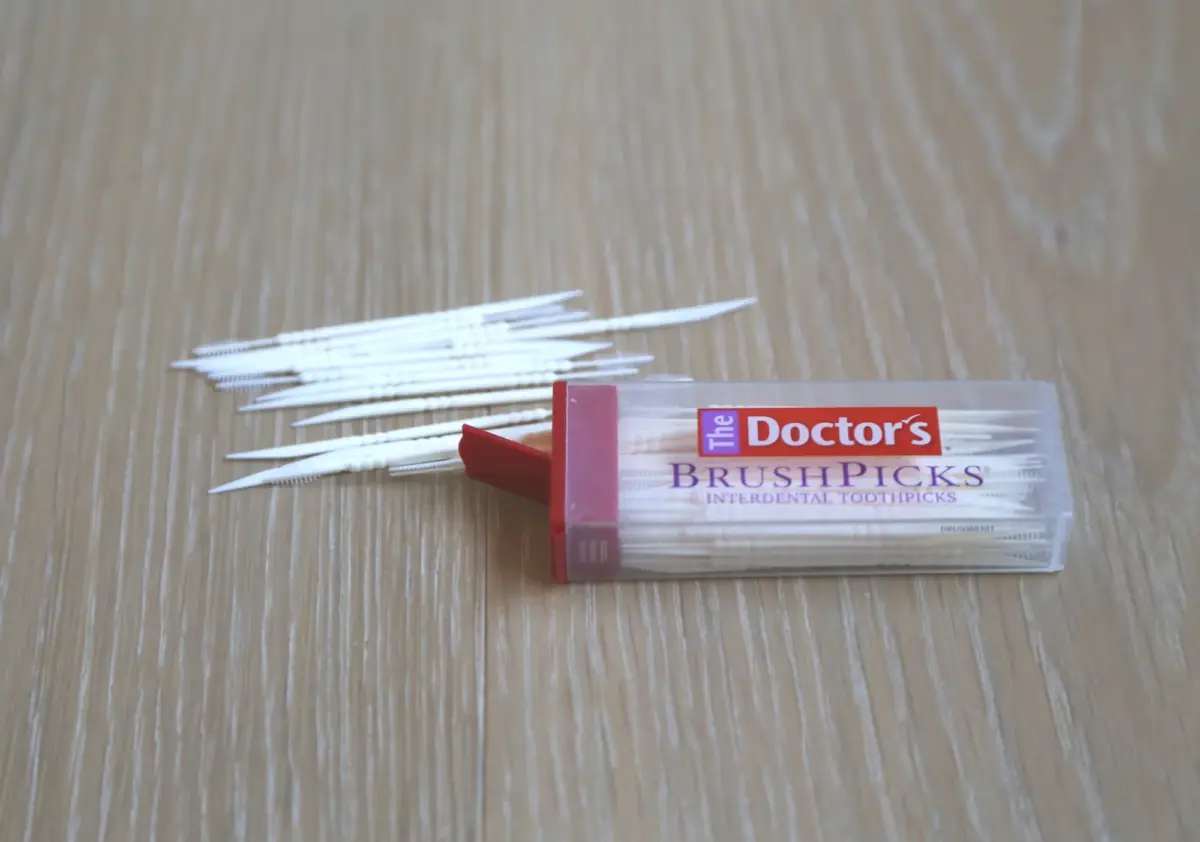
These are basically plastic toothpicks, but the flat end is much thinner and more flexible than a wooden toothpick, making it ideal for cleaning out your iPhone’s Lightning port with less risk of damage. The cost works out to less than two cents each!
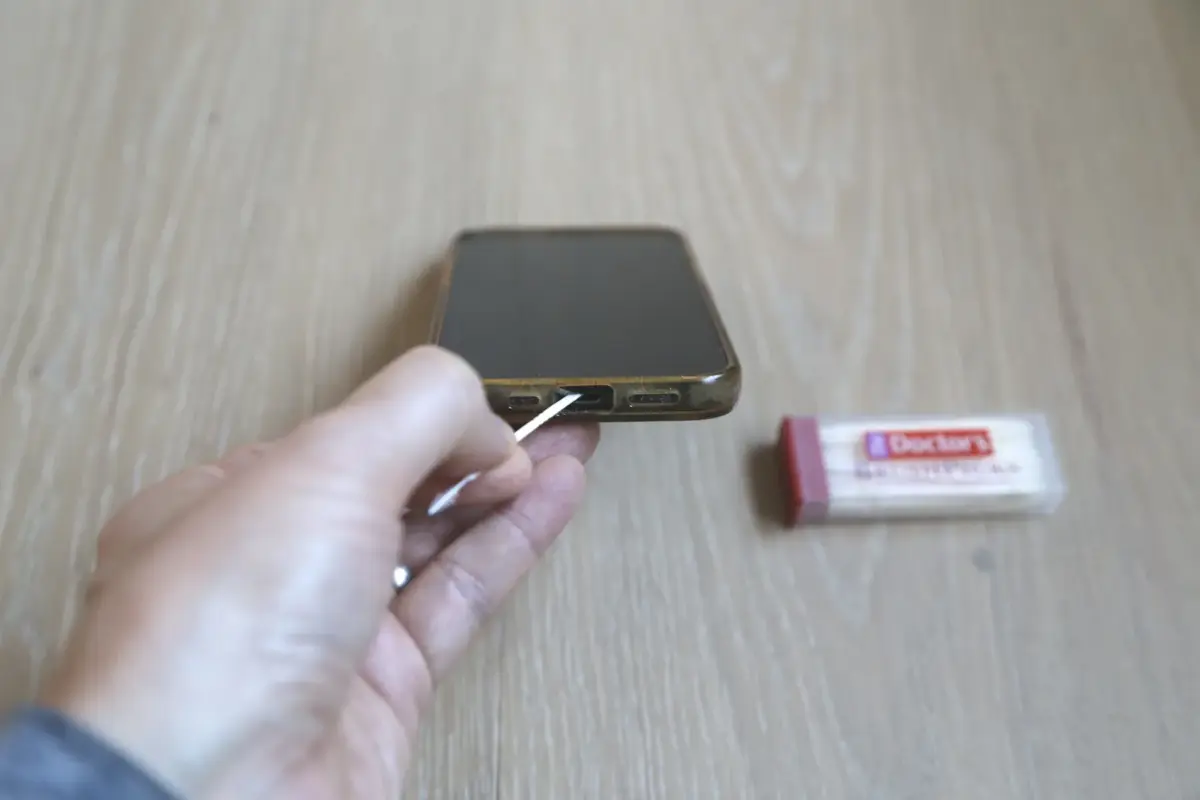
Just insert it and move it side to side, carefully flicking out the lint that has accumulated. Even after I removed what I thought was a lot of lint, there was still some in there, so it may take more than one session of “de-linting”.
The other “feather-like” end also might help to remove lint that has been dislodged by the other end.
After doing this, my phone synced and charged reliably!
Another Use for Macbook Users
I found another great use for these, namely, cleaning the gunk that accumulates around the keys of a Macbook laptop. This gap is way too small for a wooden toothpick, so these are the only things I know that will work!
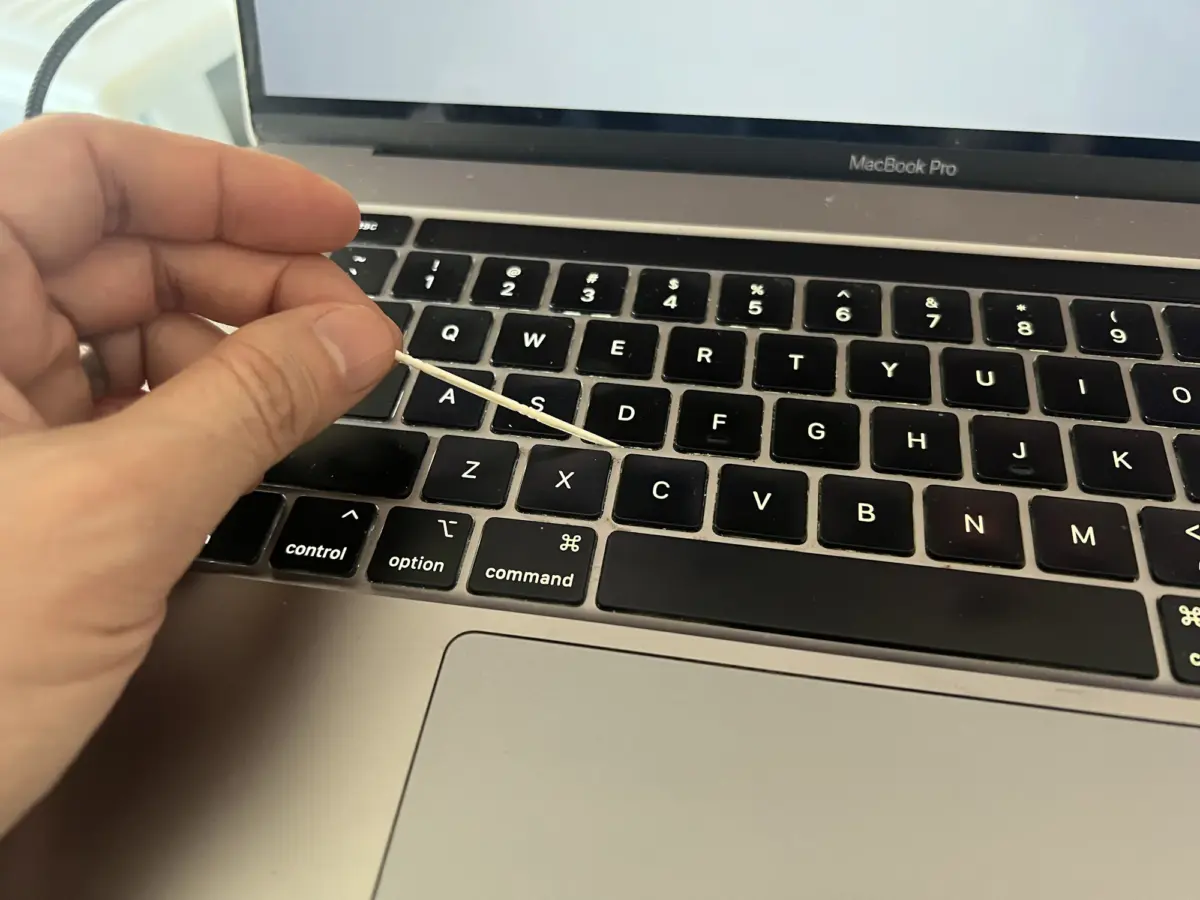
Needless to say, you can also use these for their original purpose – as toothpicks! But, I actually don’t do that because I want to keep these for cleaning my iPhone and my Macbook!
You can find these on Amazon or your local drugstore:
Did this work for you? Leave me acomment or question below. – Brian






Please Leave a Question or Comment
I try to answer each one! - Brian
Nice to know! (BTW, “so you can move” should be “so you can’t move”)
Thank you for the correction!! – Brian